


Key Points
- Online banks offer better flexibility, lower fees, and faster integrations than traditional business banks.
- BlueVine and Novo are top picks for freelancers, digital-first entrepreneurs, and service-based businesses.
- Relay and Mercury provide exceptional tools for startups, remote teams, and tech companies.
- Lili and NorthOne simplify taxes and budgeting for solopreneurs and contractors.
- Axos Bank blends traditional banking features with digital ease, perfect for growing or cash-heavy businesses.
- Every online bank in this list is FDIC insured and offers dedicated features to optimize small business banking in 2026.
As a small business owner myself, I’ve spent years bouncing between traditional banks with hidden fees, unhelpful customer support, and outdated systems. Eventually, I made the switch to online banking and I honestly haven’t looked back since.
My first experience was with BlueVine, and I remember how refreshing it felt to see real-time cash flow updates and zero monthly charges for business banking. I’ve since explored platforms like Relay, Novo, and Lili for different business models I’ve consulted on and each offers something unique, especially if you value time, automation, and clean interfaces.
Online banks transform how small businesses manage money, simplify cash flow operations, and reduce fees compared to traditional banks. This article identifies the top online banking platforms in the U.S. for small business clients, compares services, explains features, and helps owners choose a solution aligned with goals, scale, and transaction needs.
What are the famous online banks for small business banking services in the US?
Online banking platforms that cater to small business financial needs combine low cost, digital convenience, integration with accounting, and strong customer support. Below is a comparison of key contenders based on fees, access, payment tools, and features:
| Online Bank | Monthly Fees | Transaction Limits | Remote Deposit | Integrations | Best For |
| BlueVine | $0–$15 | Unlimited | Yes | QuickBooks, Xero | Unlimited transactions |
| Novo | $0 | Unlimited | Yes | Stripe, Shopify | Freelancers/Startups |
| Mercury | $0 | Unlimited | No | Stripe, QuickBooks | Tech startups |
| Axos Bank Business | $0–$15 | Higher limits | Yes | Bill pay | Established small businesses |
| Lili | $0 | Unlimited | Yes | Tax tools | Freelancers & solopreneurs |
| NorthOne | $0–$10 | Unlimited | Yes | QuickBooks | Operations with budgeting |
| Relay | $0–$30 | Unlimited | Yes | QuickBooks, Xero | Multi‑user access |
Introduction: Small business owners seek banking that streamlines money management, cuts overhead, and integrates financial tools. This comparison shows both service value and strategic advantages businesses need to grow, operate efficiently, and scale sustainably.
Why should small businesses choose online banking over traditional banks?
Small businesses choose online banking because digital platforms reduce fees, accelerate payment workflows, and offer integrations that save time. Compared to traditional banks, online banks eliminate paper statements, reduce branch dependence, and simplify bookkeeping. Lower overheads translate into greater working capital for operations.
Online Bank #1: BlueVine Business Banking
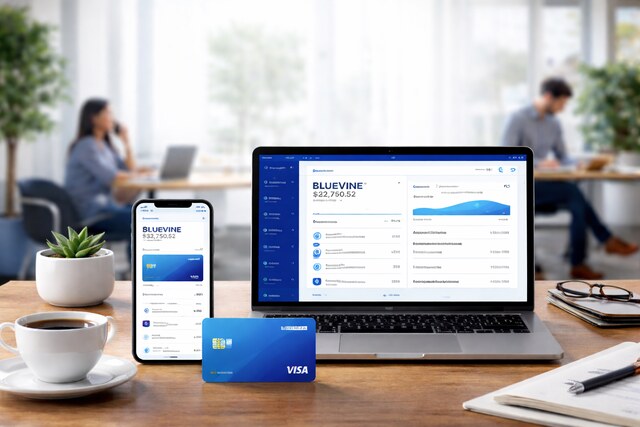
What benefits does BlueVine Business Banking offer?
BlueVine provides small businesses with scalable banking that includes high‑interest business checking, no monthly fees, and unlimited transactions. BlueVine enhances cash flow with remote check deposit and automatic reconciliation with accounting software.
Account Type
- Business Checking with 2.0–2.5% APY on balances up to $250,000
- No monthly maintenance fees
- FDIC-insured through Coastal Community Bank
Transaction Capabilities
- Unlimited transactions (ACH, wire, and debit card)
- Fee-free incoming wires
- $15 for outgoing domestic wires
- Remote check deposit enabled through the mobile app
Integrations
- QuickBooks
- Xero
- Bill.com
- Stripe (manual connection)
Online Platform Features
- User-friendly dashboard with real-time cash flow visibility
- Customizable alerts for transactions and low balances
- Mobile access for deposits and fund transfers
Pros:
- Earns interest on large balances
- Zero monthly or overdraft fees
- Strong accounting integrations
Cons:
- No cash deposits supported
- Limited access to advanced lending products
Ideal For:
Service providers, consultants, and digital agencies that handle frequent transactions, seek cost efficiency, and require clean QuickBooks integration.
Online Bank #2: Novo
Why is Novo popular with small business owners?
Novo appeals to startups and solopreneurs because it offers zero maintenance fees, integrations with payment processors, and streamlined onboarding. Novo’s modern interface gives businesses quick access to funds and analytics.
Account Structure
- No monthly fees, no minimum balance requirements
- Business checking account with FDIC insurance via Middlesex Federal Savings Bank
Financial Features
- Refunds all ATM fees
- Free ACH transfers, mailed checks, and incoming wires
- No interest earned on balances
Commerce Integrations
- Shopify (automated reconciliation)
- Stripe (instantly verify deposits)
- PayPal and Square for payment sync
- Zapier for automation flows
Business Tools
- Novo Reserves: sub-accounts for budgeting and savings
- Invoicing directly from the app
- Instant virtual debit cards
Pros:
- Built-in invoicing and automation
- Unlimited free transactions
- Fast Stripe deposits (via Novo Boost)
Cons:
- No APY or interest on balances
- Limited physical banking support (no cash deposit)
Ideal For:
Solo entrepreneurs, coaches, creators, and digital sellers looking for a sleek banking experience tightly integrated with their revenue tools.
Online Bank #3: Mercury

What makes Mercury banking suited for tech startups?
Mercury focuses on fast account setup, developer tools, and programmable payments. Unlike many online banks, Mercury supports API access and multi‑user controls.
Account Setup
- Business Checking and Savings
- FDIC-insured via Evolve Bank & Trust and partner banks (sweep networks up to $5M coverage)
- No monthly fees or minimum balances
Developer-Focused Tools
- Open banking APIs for fund transfers
- Programmable workflows for startups
- Slack integration for notifications
User Management
- Multi-user permissions
- Role-based access (Admin, Bookkeeper, Read-only)
- Team debit cards with spending controls
Analytics Features
- Advanced transaction search and tagging
- Built-in cash burn analytics
- Investor and cap table management options
Pros:
- Excellent for startups with technical staff
- Multi-user banking controls
- Large FDIC coverage with partner sweeps
Cons:
- No mobile check deposit
- No cash deposit support
Ideal For:
SaaS companies, bootstrapped tech teams, and venture-backed startups that prioritize control, automation, and API banking.
Online Bank #4: Axos Bank Business Banking

How does Axos extend traditional banking into the digital era?
Axos launches business checking with comprehensive tools including bill pay, remote deposit capture, and tiered fee structures based on usage. Axos provides robust reporting and integration with accounting software.
Account Options
- Basic Business Checking (No fees, 200 free items)
- Business Interest Checking (0.81% APY, $10 fee waivable)
- Business Premium Checking (High-volume for larger companies)
Cash Management Tools
- ACH origination and wire transfers
- Positive pay and remote deposit capture
- Merchant services and payroll integrations
Deposit Services
- Cash deposits at ATMs and via remote scanner
- High monthly deposit thresholds
- Business savings and money market options
Support and Access
Dedicated relationship managers
24/7 online access with bill pay and transfer capabilities
Pros:
- Strong cash management tools
- Supports both digital and cash-heavy operations
- Interest-bearing business accounts
Cons:
- $10–$15 monthly fees (unless waived)
- More documentation required to open
Ideal For:
Brick-and-mortar businesses, medical practices, or operations with higher cash flow and physical deposits who still want digital capabilities.
Online Bank #5: Lili

Why is Lili tailored to freelancers?
Lili blends banking with tax tools, expense categories, and savings envelopes. Lili supports freelancers, gig workers, and contract professionals with automated tax tracking.
Tax and Expense Features
- Real-time expense categorization
- Automatic tax savings allocations
- Built-in invoicing tools with tracking
Account Structure
- No minimum balance or hidden fees
- Lili Pro adds 1.5% APY and advanced tools for $9/month
- Mobile check deposit and ATM access
Freelancer-Specific Benefits
- Direct deposit with early pay
- Emergency buckets and savings tools
- Real-time write-offs estimator for self-employed taxes
Integration Capabilities
- QuickBooks and other accounting exports
- Receipt capture for tax documentation
- No third-party payment processor integrations
Pros:
- All-in-one tax and banking tool
- Simple, visual UI for solopreneurs
- FDIC insured through Choice Financial Group
Cons:
- Not built for growing teams
- No multi-user functionality
Ideal For:
Freelancers, consultants, and creators who need simplified tax-ready business accounts with minimal maintenance.
Online Bank #6: NorthOne
What features differentiate NorthOne?
NorthOne provides a simple business banking hub with budgeting envelopes, Bill Pay, and integrations with financial tools. NorthOne’s interface focuses on clarity and control.
Account Type
- Flat $10 monthly fee
- No overdraft or NSF fees
- FDIC insured via The Bancorp Bank
Budgeting System
- Virtual envelopes to allocate funds (payroll, taxes, rent)
- Custom rules to automate fund distribution
- Transparent expense tracking
Transaction Tools
- Free ACH, mobile check deposit, and bill pay
- Business debit card with budgeting categories
- Accepts cash deposits via GreenDot locations
Software Integrations
- QuickBooks
- Square
- Shopify
- Stripe
- Etsy
Pros:
- Strong control for budgeting
- All major integrations supported
- Customer support via chat and app
Cons:
- No interest earned on deposits
- $10 monthly fee (non-waivable)
Ideal For:
Owners managing variable income or expense-heavy businesses (cafés, contractors, salons) who want visual cash management.
Online Bank #7: Relay Financial

Why choose Relay for collaborative business banking?
Relay combines a business checking account with multi‑user access, sub‑accounts, and advanced analytics. Relay supports finance teams and partners.
Account Setup
- No monthly fees (Relay Standard)
- Relay Pro at $30/month adds auto-imported bills and approval workflows
- FDIC insured through Thread Bank
Team Features
- Multi-user access with customizable permissions
- Issue up to 50 virtual or physical cards
- Sub-accounts for budgeting or departments
Automation Capabilities
- Auto-transfer rules
- Integrated bill pay with approval layers
- Real-time transaction notifications
Integrations
- QuickBooks Online
- Xero
- Gusto (for payroll sync)
Pros:
- Built for teams with finance roles
- Efficient bill pay + accounting sync
- Visual dashboard and account controls
Cons:
- No in-person support or cash handling
- Advanced features behind Relay Pro
Ideal For:
Startups, agencies, and businesses with finance staff or remote workers needing transparent fund access and clean controls.
Which online bank has the lowest fees?
Most online banks in this list charge:
- $0 monthly fees (Novo, Mercury, Lili)
- Tiered fees only if optional services are added (BlueVine, Axos, Relay)
- FTC fee transparency means small business owners save compared to traditional banks.
How do these banks integrate with accounting software?
Online banks enhance bookkeeping by syncing transactions directly into leading platforms like:
- QuickBooks
- Xero
- FreshBooks
- Wave
These integrations automate reconciliation, reduce manual errors, and enable faster financial closes.
What features matter most for small business banking?
1. Fee structure
Lower costs improve cash flow.
2. Transaction limits
Unlimited transactions prevent surprise fees.
3. Integrations
Bank‑to‑bookkeeping sync saves time and increases accuracy.
4. Remote deposit
Mobile check deposit improves cash access.
5. Customer support
Responsive support solves issues faster.
How to choose the right online bank?
Small business owners should:
- Calculate expected monthly transactions
- Evaluate fee structures
- Identify essential integrations
- Prioritize mobile experience
- Check FDIC insurance coverage
Conclusion
Online banking offers small business owners cost‑effective, flexible solutions with superior digital tools compared to traditional banks. Platforms like BlueVine, Novo, Mercury, Axos, Lili, NorthOne, and Relay deliver distinct advantages that support different business models. For entrepreneurs focused on scalability, integrations, and low fees, online banks represent a strategic shift that enhances financial operations and future growth.
FAQ’s
Q1: Are online banks safe for small businesses?
Online banks are FDIC insured through partner institutions, protecting deposits up to FDIC limits, which ensures financial security similar to traditional banks.
Q2: Can I deposit cash with online banks?
Some online banks offer partner networks for cash deposits, while others support mobile check deposit only. Fee structures vary by provider.
Q3: Do online banks offer business loans?
Yes. Some online banks provide loans or partner with lenders for lines of credit, SBA loans, or invoice financing.
Q4: Are there limits on transactions?
Most online business banks offer unlimited transactions with zero or low fees, but always verify limits before choosing.
Q5: Do online bank accounts include debit cards?
Yes. None of the banks listed require physical branches; all provide debit cards for business spending and access.
