


Introduction
A cash register is more than a simple drawer for storing money. For a small business, it acts as the operational center where transactions, inventory tracking, and customer interactions come together. Whether you run a retail shop, café, or service-based business, selecting the right system directly impacts efficiency, accuracy, and profitability. Modern solutions now blend traditional registers with digital point-of-sale features, making it essential to understand your options before investing.
This guide walks through practical steps to choose, set up, and optimize a cash register for your small business while integrating the tools and systems that drive long-term growth.
Identify Your Business Transaction Needs
The right cash register starts with understanding how your business processes sales. A small boutique with low daily transactions has different requirements than a busy restaurant handling hundreds of orders per hour.
You need to evaluate transaction volume, payment methods, and product complexity. Businesses accepting cash, cards, and mobile payments require systems that integrate seamlessly with payment gateways. If you manage inventory, the register should track stock in real time and update automatically after each sale.
Operational context also matters. A retail store benefits from barcode scanning and receipt printing, while a café may need quick-order buttons and kitchen ticket printing. Matching the system to your workflow ensures faster service and fewer errors.
Choose Between Traditional and POS-Based Registers
Small businesses typically decide between basic electronic cash registers and advanced point-of-sale systems. Traditional registers are simple, reliable, and cost-effective but limited in functionality.
POS systems, like Square and Shopify POS, offer cloud-based solutions that handle sales, inventory, reporting, and customer data in one platform. These systems also support integrations with accounting tools and online stores.
While traditional registers suit businesses with minimal needs, POS systems provide scalability. As your business grows, having access to detailed reports and customer insights becomes increasingly valuable for decision-making.
Select Hardware Components for Daily Operations
A cash register system includes several physical components that support smooth transactions. Choosing the right hardware ensures durability and efficiency.
The core elements include a cash drawer, receipt printer, barcode scanner, and display screen. Some systems also include customer-facing displays to improve transparency during transactions. Touchscreen interfaces are becoming standard because they reduce training time and speed up checkout.
Durability is essential in high-traffic environments. Retail stores and restaurants benefit from spill-resistant keyboards and heavy-duty drawers. Investing in reliable hardware reduces maintenance costs and downtime.
Compare Key Features Before Purchasing
Not all cash registers offer the same features, and comparing them carefully helps avoid costly upgrades later.
| Feature | Basic Register | POS System |
| Cash Handling | Yes | Yes |
| Card Payments | Limited | Full Support |
| Inventory Tracking | No | Yes |
| Sales Reports | Basic | Advanced |
| Customer Management | No | Yes |
| Cloud Access | No | Yes |
Basic registers focus on transactions, while POS systems provide a complete business management solution. If your business relies on data insights, choosing a feature-rich system is essential.
Advanced systems also offer employee tracking, allowing you to monitor staff performance and reduce errors or fraud. This level of control becomes critical as your team grows.
Set Up Payment Processing Integration
A modern cash register must support multiple payment methods. Customers expect flexibility, including credit cards, debit cards, and mobile wallets.
Integrating payment processors ensures secure and fast transactions. Providers like PayPal and Stripe allow seamless integration with POS systems, enabling businesses to accept payments both in-store and online.
Security is a key factor. Systems must comply with payment standards to protect customer data. Encryption and tokenization technologies reduce risks and build trust with customers.
Configure Inventory Tracking and Management
Inventory management is one of the most valuable functions of a modern cash register system. It allows you to monitor stock levels, track sales trends, and prevent shortages.
You need to input product details, including prices, SKUs, and categories. Barcode scanning simplifies this process and reduces manual errors. Automated alerts notify you when stock runs low, helping maintain consistent availability.
For businesses with multiple locations, centralized inventory systems provide real-time updates across all stores. This ensures accurate stock levels and improves supply chain coordination.
Train Staff for Efficient System Usage
Even the best system fails without proper staff training. Employees must understand how to process transactions, handle refunds, and manage basic troubleshooting.
Training should focus on speed and accuracy. Staff should learn shortcuts, quick-access buttons, and error correction methods. This reduces customer wait times and improves service quality.
Regular updates are also important. As systems evolve, new features may require additional training sessions. Keeping staff informed ensures consistent performance and reduces operational disruptions.
Monitor Sales Data and Generate Reports
A cash register system becomes a powerful decision-making tool when used for data analysis. Sales reports reveal trends, peak hours, and top-performing products.
These insights help optimize pricing strategies and inventory planning. For example, identifying slow-moving products allows you to adjust promotions or discontinue items.
Advanced POS systems generate detailed reports, including daily revenue, profit margins, and customer behavior. This data supports strategic planning and long-term growth.
Optimize Customer Experience at Checkout
The checkout process plays a major role in customer satisfaction. A slow or complicated system can lead to frustration and lost sales.
Streamlining the process involves reducing transaction time, offering multiple payment options, and ensuring clear pricing. Customer-facing displays improve transparency and build trust.
Loyalty programs integrated into POS systems encourage repeat business. By tracking customer purchases, you can offer personalized discounts and promotions, increasing retention.
Maintain and Upgrade Your Cash Register System
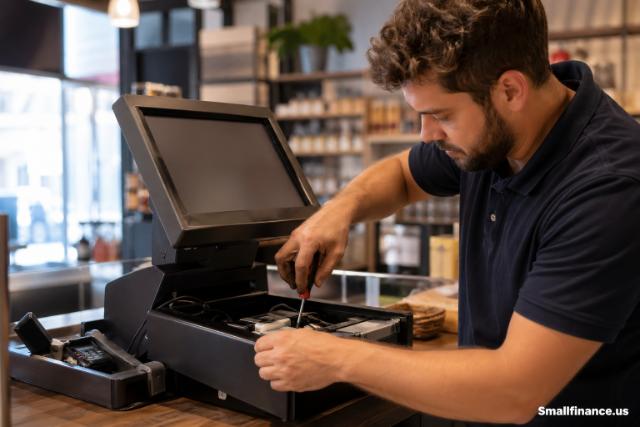
Technology evolves quickly, and maintaining your system ensures long-term reliability. Regular updates improve performance and security.
Software updates often include new features and bug fixes. Keeping your system up to date prevents compatibility issues and enhances functionality.
Hardware maintenance is equally important. Cleaning components, checking connections, and replacing worn-out parts extend the lifespan of your equipment. As your business grows, upgrading to more advanced systems may become necessary.
Evaluate Costs and Return on Investment
Investing in a cash register system involves upfront and ongoing costs. Understanding these expenses helps you make informed decisions.
| Cost Type | Description |
| Hardware | Register, printer, scanner |
| Software | POS subscription fees |
| Payment Processing | Transaction fees |
| Maintenance | Repairs and updates |
While POS systems may have higher initial costs, they often deliver better long-term value through improved efficiency and data insights. Calculating return on investment helps justify the expense and ensures sustainable growth.
Ensure Compliance with Tax and Accounting Requirements
Accurate financial records are essential for legal compliance and business success. A cash register system should support tax calculations and reporting.
Integration with accounting software simplifies bookkeeping and reduces manual work. Systems like QuickBooks allow automatic syncing of sales data, ensuring accurate financial records.
Compliance requirements vary by region, but maintaining detailed transaction logs helps avoid penalties and simplifies audits.
Expand Functionality with Integrations
Modern cash registers can connect with other business tools to enhance functionality. Integrations streamline operations and reduce manual tasks.
Examples include e-commerce platforms, marketing tools, and customer relationship management systems. Connecting your POS with online stores ensures synchronized inventory and sales data.
This interconnected approach improves efficiency and provides a unified view of your business operations, making it easier to scale.
Conclusion
A cash register for a small business is no longer just a transaction tool. It serves as the backbone of daily operations, combining sales processing, inventory management, and customer engagement into a single system. Choosing the right solution requires understanding your business needs, comparing features, and planning for future growth.
By investing in a system that aligns with your workflow and integrates with essential tools, you create a foundation for efficiency, accuracy, and long-term success. The right cash register not only simplifies transactions but also empowers better decision-making and improved customer experiences.
FAQ’s
How much does a cash register cost for a small business?
Costs vary widely depending on features. Basic registers can cost under $200, while advanced POS systems may range from $500 to several thousand dollars, plus subscription fees.
Do I need a POS system instead of a cash register?
If your business requires inventory tracking, reporting, and multiple payment options, a POS system is a better choice than a basic register.
Can a cash register handle credit card payments?
Traditional registers have limited capabilities, but POS systems integrate with payment processors to handle card and digital payments.
How do I choose the best cash register for my business?
Start by evaluating your transaction volume, payment methods, and need for features like inventory tracking and reporting.
Is cloud-based POS better than traditional systems?
Cloud-based systems offer remote access, automatic updates, and better scalability, making them ideal for growing businesses.
How often should I upgrade my system?
Upgrades depend on business growth and technology changes, but reviewing your system every 2 to 3 years ensures it meets current needs.
